
New job, desk includes a workstation with windows10. I've got WSL running for silly things like small qiime jobs, but wondering if anyone else is doing anything with WSL asides from replacing PuTTy as their client for SSHing into cluster?
-
-
AFAIK, as long as you have enough memory everything that works on a normal ubuntu machine should work on WSL as well (assuming you installed ubuntu). -
At the moment I didn't install Linux on my laptop. I work only with WSL.
You can do almost everything, the only problem is the I/O speed, which is tragically slower in WSL compared to a "traditional" Linux installation.Comment
-
-
In WSL, apt-get install qiime is QIIME 1.9.0Originally posted by Cistron View Post
I installed miniconda, then used the linux tutorial from the qiime2.org page.
You need Xming on your Win10 machine and a reasonably new version of Win10 (1803?). You'll want to use firefox on ubuntu. I think you need ubuntu-desktop and/or xubuntu-desktop; I'll have to find time for clean installs.
I got moving pictures to work with qiime view using ubuntu firefox, and it's a bit slow.
I may look into containers for fun, but...Comment
-
huh! I had no idea there was an actual debian package for QIIME available. I tried the conda install route, but USEARCH keeps throwing a core dump error when I test the installation.Originally posted by ctseto View Post
Ok. I can only find version 1.8 through apt-search, but maybe that will do. Going through the installation now. Let's see how it goes.Comment
-
Putty is a bit lame these days.
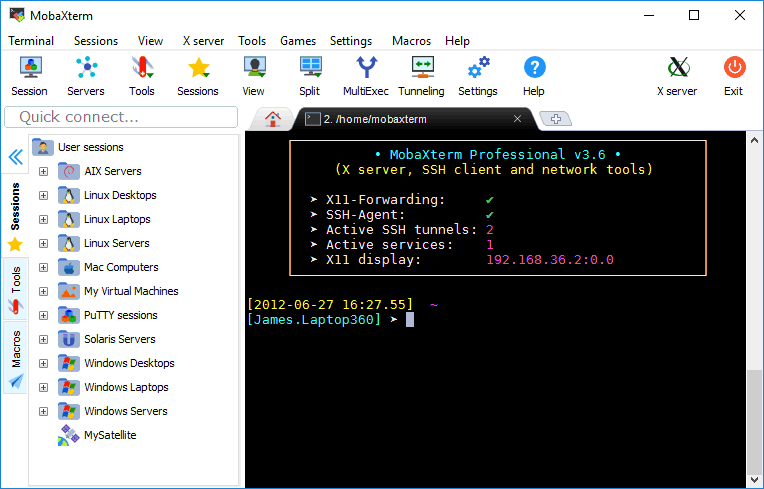
Does mobaxterm work on it ?
Comment


-
Tumors contain complex mixtures of cell populations that evolve in response to treatment and host-specific factors. Tissue biopsies provide only static snapshots of a tumor’s state. But what if we could follow that evolution over time using a minimally invasive technique?
Liquid biopsies can detect tumor-derived material circulating in the bloodstream, providing a way to study treatment response, detect emerging resistance, and discover new biomarkers. Circulating...10-14-2026, 09:55 AM -
Researchers using sequencing and genomics tools often have to make trade-offs. They can choose between speed or scale, short reads or long-range information, or targeted panels or a view of the whole transcriptome. New technologies that have been released this year are built to address those tough choices.
We asked six companies the same four questions to learn about their latest products. The new technologies bring a lot to the table, including rethinking sequencing...
Comment